 WeddingWire.lk
Invitations
QR Code Wedding Invitations: How They Work and Why Guests Love Them
By WeddingWire.lk Editorial Team · Published · 5 min read
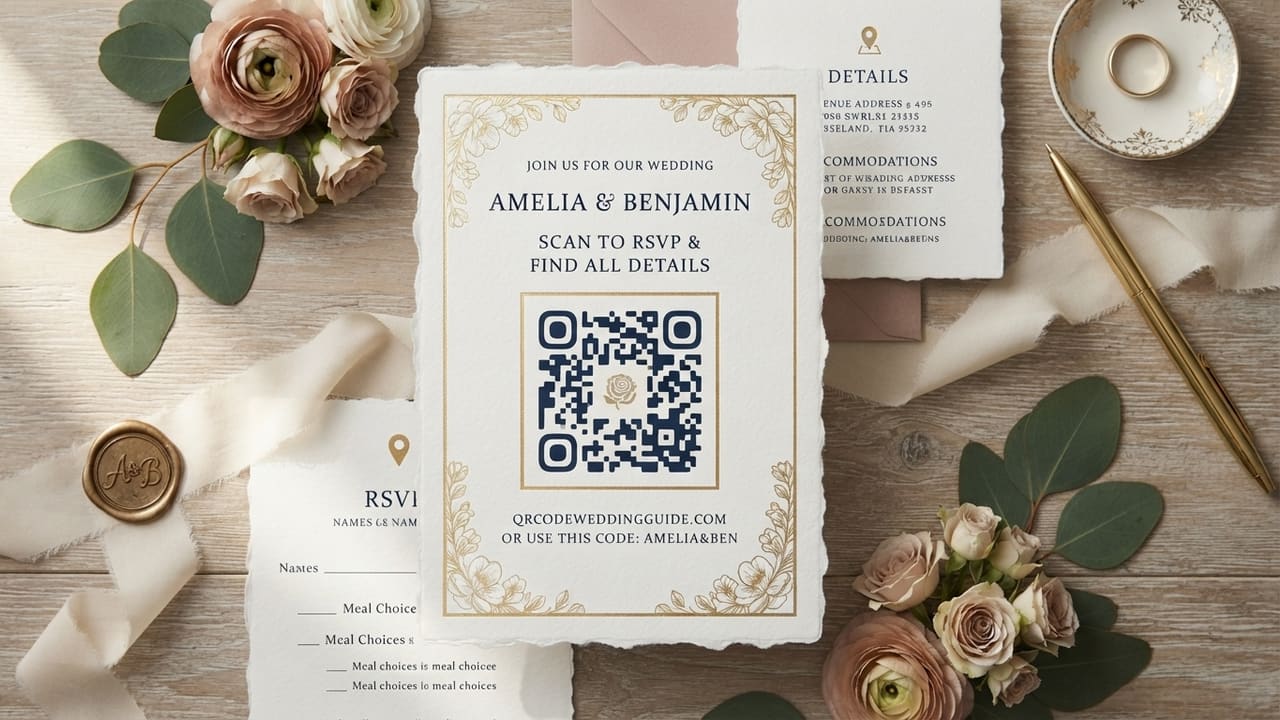
A QR code on a wedding card looks like a small design element, but it's doing real work — it's the bridge between a static printed invitation and a live digital page that can RSVP, show a map, and stay up to date. Here's how to use one properly.
How it actually works
The QR code is just a link in visual form — scanning it with a phone camera opens your wedding's guest page directly, no app required. Behind that one code sits everything a printed card can't hold: full directions, a live RSVP form, the dress code, gift details, and photos, all editable after the card has already been printed.
Why guests prefer it
Most guests RSVP from their phone regardless of how the invitation reaches them. A QR code removes every extra step between "I got invited" and "I've confirmed" — no typing a URL, no searching for a phone number, no separate WhatsApp thread to find later when they need the address again.
What to put behind the QR code
- An RSVP form guests can complete in under a minute
- The venue address with a tap-to-navigate map link
- Ceremony and reception timings, especially if they differ from the printed card
- Dress code or colour theme, if you have one
- Gift or registry details, handled respectfully rather than prominently
- A small photo gallery or your story, if you want a personal touch
Printing it correctly
A QR code needs enough contrast and size to scan reliably from a printed card — aim for at least 2 x 2 cm at typical invitation-reading distance, in solid black on a light background rather than a colour gradient. Always test-scan the exact printed card, at actual size, with two or three different phones before your print run goes out — a code that scans fine on-screen can fail once printed at a smaller size or on textured card stock.
A code that stays useful after printing
The advantage over a printed URL is that a good QR code invitation points to a page you can still edit — a venue change, an added ceremony, or a new RSVP deadline updates instantly for every guest who scans it, without a single reprint.
WeddingWire.lk generates a shareable guest page with a QR code built in automatically, so the card you print in month one still works correctly if anything changes in month three.
Plan your own wedding with WeddingWire.lk
Guest lists, RSVPs, seating, budget, and a shareable invitation page — all in one free workspace.
Start planning free